Where the work
converges.
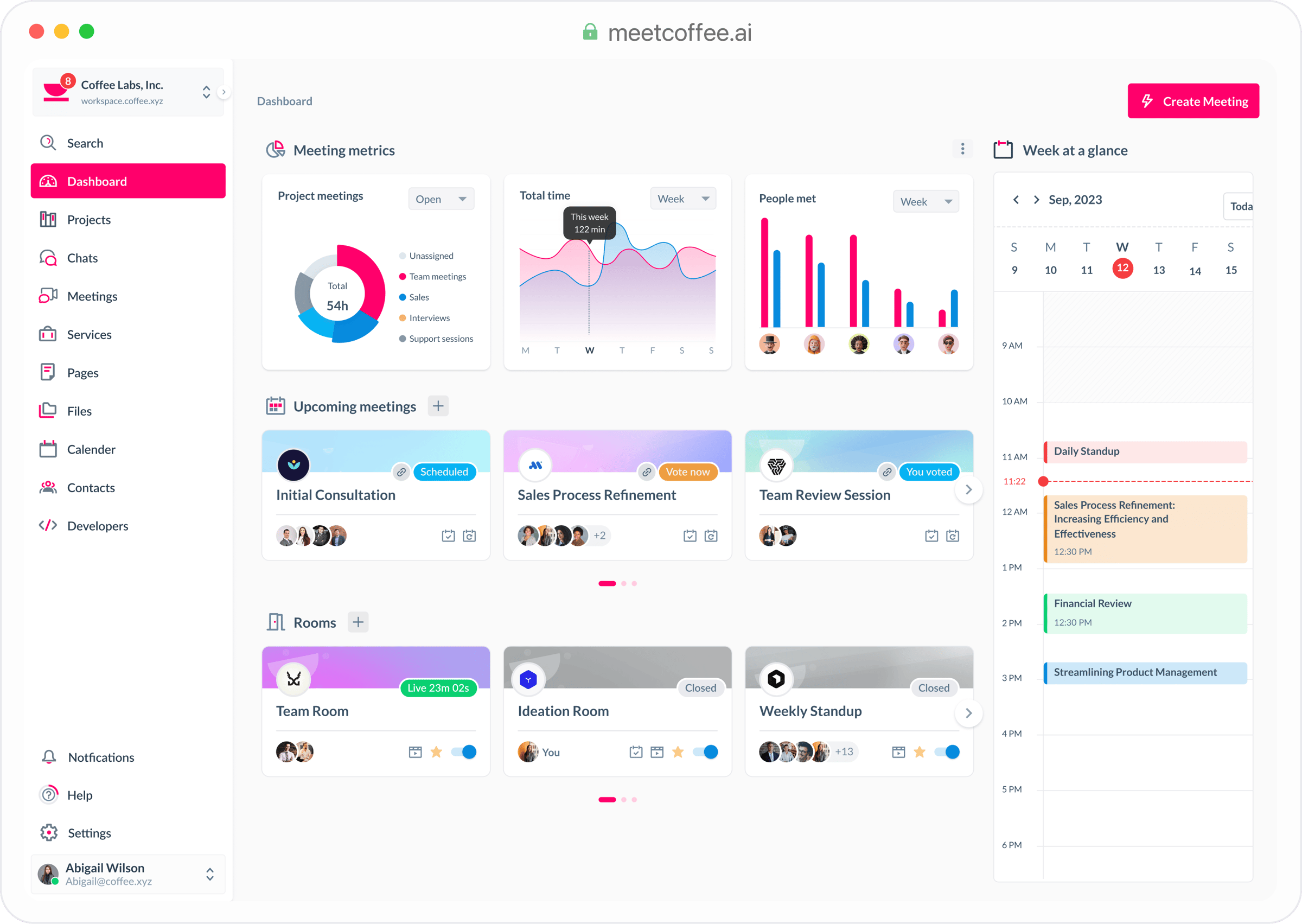
The all-in-one workspace for meetings, chat, docs, tasks, calendar, bookings, and files, with AI agents that do the work. Replaces Slack, Zoom, Notion, and Calendly.
Q3 strategy review
Pricing v3
A new pricing model for Q3
Q3 sprint
This week
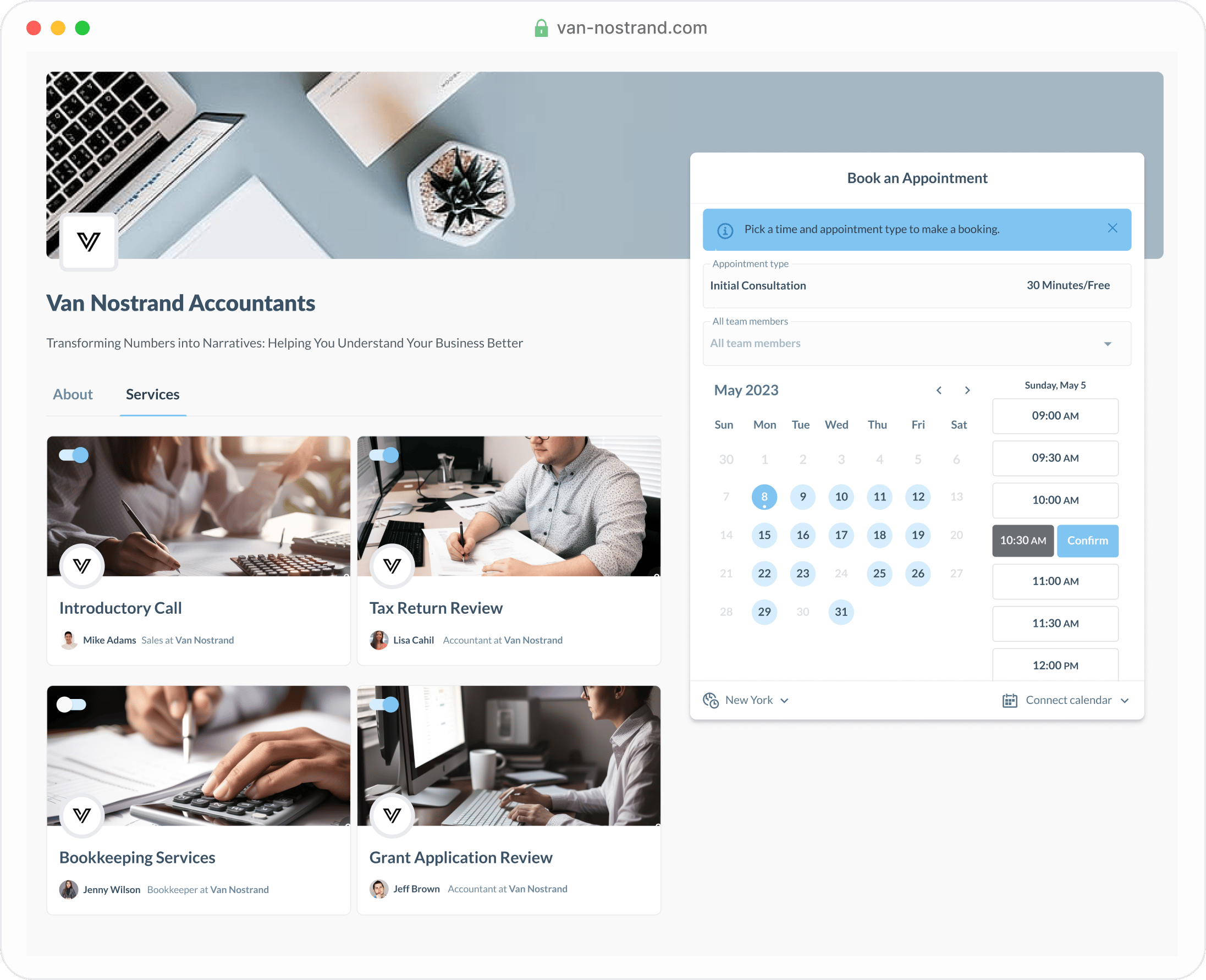
Bookable services
Recent files
- PDFLinked from doc
- FIG
- KEY3 viewing now
- MOV
Ask your workspace
Integrations
- GGoogle DriveSynced · 2,418 files● Live
- OOutlook CalendarTwo-way sync · 17 calendars● Live
- SSlackBridge enabled · #pricing, #q3● Live
- $StripeBooking payments · live mode● Live
- MMiroEmbeds enabledConnected
Eight surfaces, one workspace.
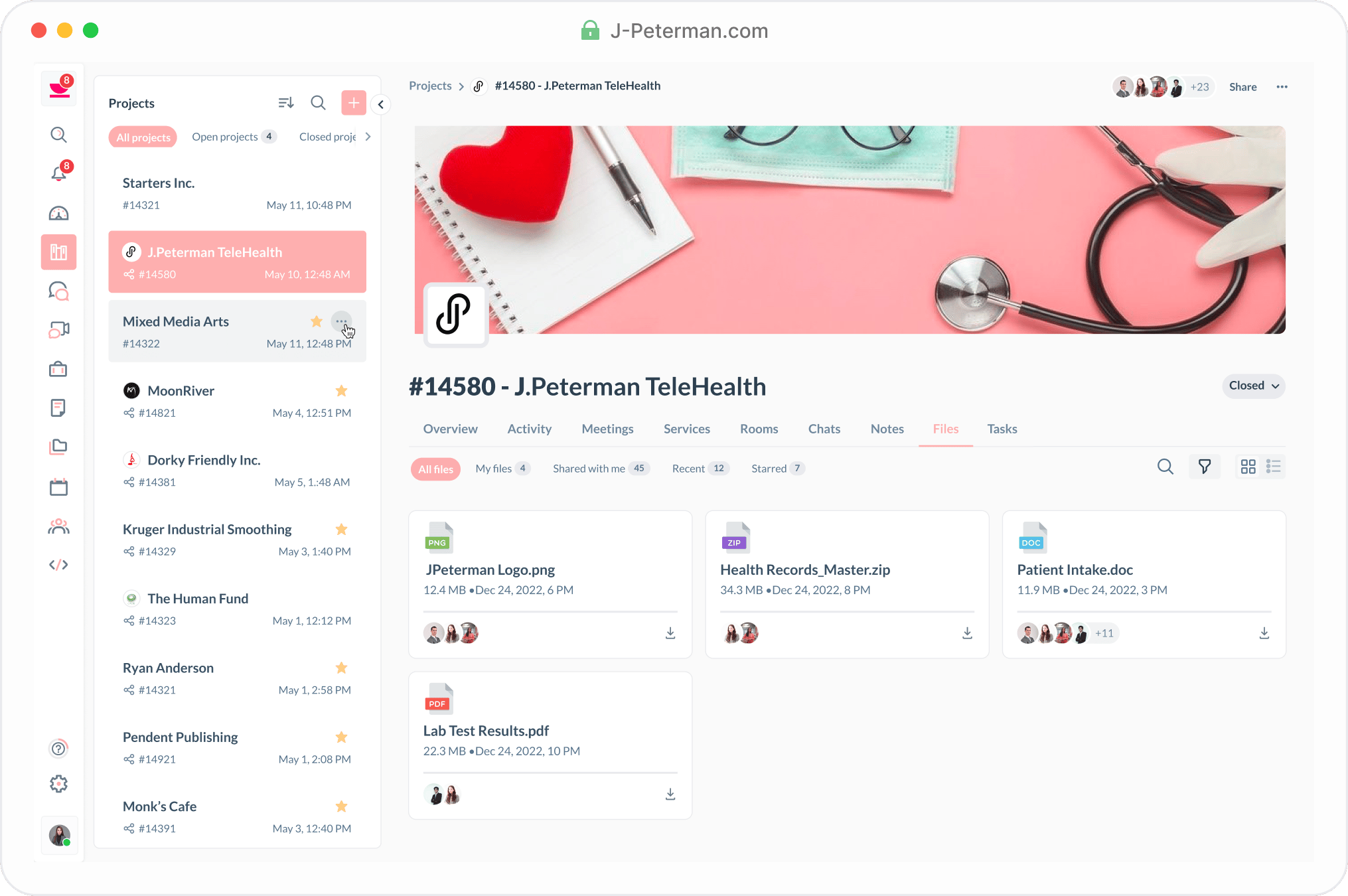
Not eight apps with one login. One system. They share a single graph, one permissions model, one search. A decision in a meeting reaches the doc, the task, and the booking on its own.
- Meet Live video · transcripts
- Docs Live · linked
- Tasks Kanban · delegate to agents
- Calendar Google + Outlook sync
- Bookings Stripe · public links
- Files Inline · searchable
- Messages Channels · DMs · threads
- Brain Agents · search · BYO AI
One subscription instead of many.
Replace the tools your team has outgrown. Keep the ones you love. No big-bang migration.
Work split across apps that cannot agree.
- Meeting decisions disappear into transcripts.
- Docs, tasks, bookings, and files drift apart.
- Agents answer from partial context and stale permissions.
One operating graph for the work itself.
- Meetings create cited decisions and follow-up work.
- Every surface shares ownership, permissions, and search.
- Agents act with the same context your team sees.
See the full list
Replaces
Slack · Zoom · Notion · ClickUp · Calendly · Linear · Loom · Mattermost · Asana · Cal.com · Microsoft Teams · Whereby · RocketChat · Trello · Otter.ai · Confluence · Monday · HubSpot · Dropbox · Coda · Google Meet · Fireflies
Connects to
Google Drive · Stripe · Outlook · Miro · Clio · Google Calendar
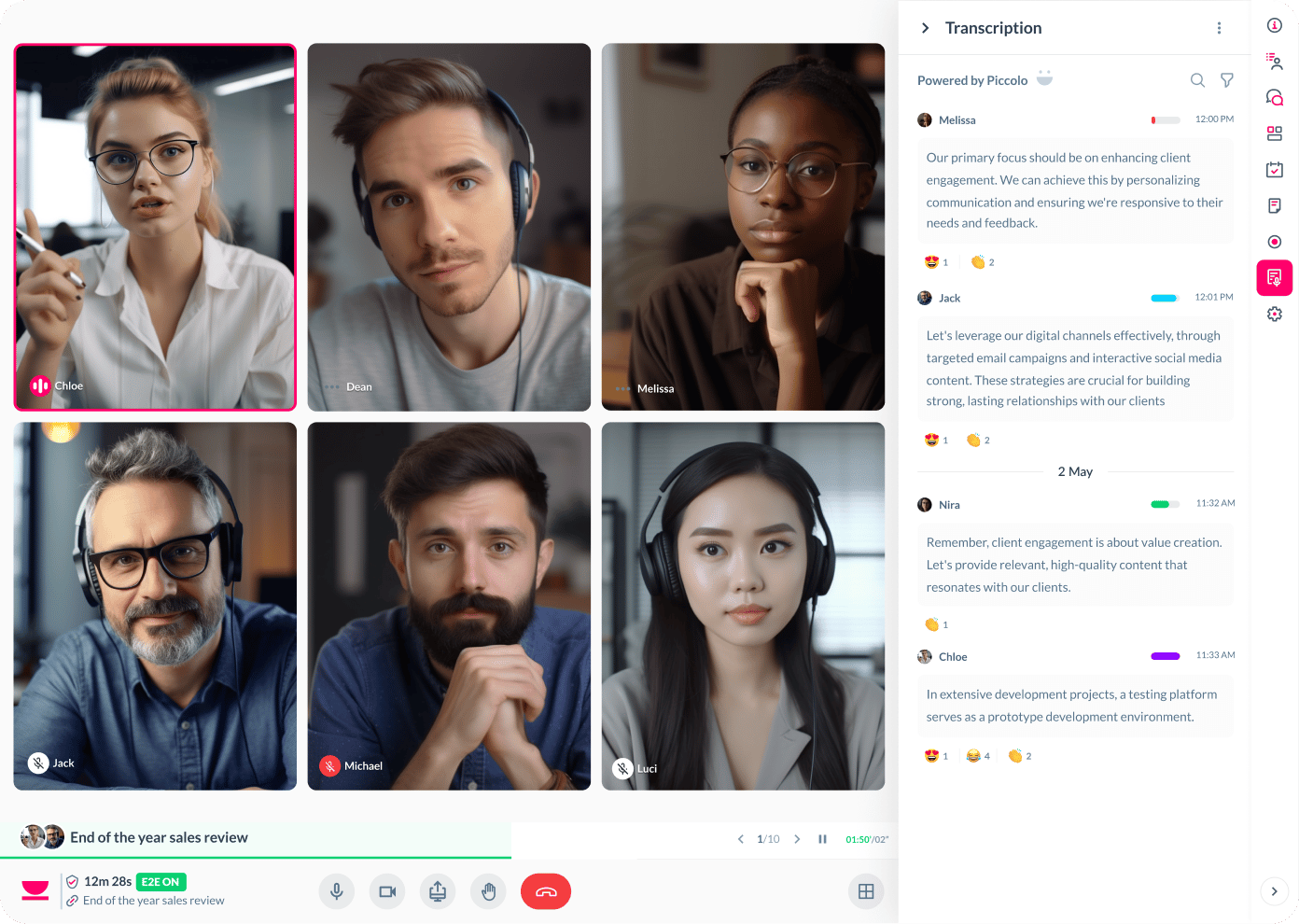
Your agents don’t sit in a sidebar. They join the call.
An agent joins the call with a real voice and an animated avatar everyone sees. As people talk, the Brain reads the transcript live and turns decisions into tasks, agenda items, and follow-ups. It can watch, it can suggest, or it can act on its own once you allow it. Every action is logged and reversible.
- Watch, suggest, or act. Three autonomy tiers per agent: flag it for your eyes only, suggest and wait for your tap, or let it act on its own — always reversible.
- Real voice, real face. OpenAI Realtime speech-to-speech, or Deepgram and ElevenLabs voices, with an animated avatar live in the meeting tile.
- “Coffee, add a task.” Say it in the call and the agent files the task or books the follow-up while you keep talking.
- Delegate the work, not the question. Assign a task to an agent and it runs headless under your permissions, with a full token-and-cost audit trail.
- add_agenda appended item to standup doc
- resolve_agenda marked Q3 pricing complete
- add_task created HIGH-pri rollout task
- schedule_meeting booked 30 min with acme.com
- search_workspace pulled 3 cited sources
Program your agents in Expresso.
The live conversation is the program. You write plain rules — when someone says X, do Y — and the compiler proves which steps are guaranteed and which are AI judgment. Every action happens exactly once, is fully auditable, and replays the same every time.
Expresso is to agents what Temporal is to workflows and BAML is to prompts.
agent "Scribe" {
grants { tasks.create, notes.create, // what it may DO
ai.match, ai.summarize } // what it may OBSERVE via AI
lives in meetings #project
on someone says ~"a commitment" {
create_task "{.sentence}" assignee: .speaker
}
on meeting ends {
create_note title: "Minutes" body: summarize(meeting)
}
} - gpt-5.4 OpenAI ●
- gpt-5.2 OpenAI
- gemini-pro-3.1 Google
- openrouter-auto OpenRouter
- openrouter-free OpenRouter
- qwen-3.5 Local · Ollama
- bring-your-own Your key
Private AI that runs on your key.
Your workspace is your knowledge base — not someone’s training data. The Brain answers from your team’s own notes, docs, and meeting transcripts, on the model you pick, with the key you control.
- Every model, your key. OpenAI GPT-5, Google Gemini, OpenRouter’s catalog, or a local model — switch per workspace or per agent.
- Your key, your bill. Bring your own provider key. Coffee never sees your spend or proxies your data through a shared account.
- Answers from your own knowledge. A private Chroma index over your notes, docs, and transcripts — and every answer cites where it came from.
- Controlled by design. Role-based access (Owner / Admin / Collaborator / Viewer), encrypted tokens, and per-request audit logs.
Record meetings that aren’t even on Coffee.
The desktop app transcribes any call on your machine — Zoom, Meet, Teams, Whereby, even phone calls — and files the transcript, decisions, and action items in your workspace.
- System-wide capture. One tray icon records any audio the OS exposes — no extension, no bot to invite.
- Speaker diarisation. Knows who said what, even across Zoom and your mic.
- Real-time + post-call. Live captions on-device, full transcript posted to the doc as the call wraps.
- Auto-tag & route. The calendar event names the file, the channel, and the searchable label.
Your data stays in your region.
Four region-isolated stacks: London, California, Singapore, and Sydney. Pick one at sign-up and every byte stays there. Nothing is silently copied across regions.
- Four sovereign regions. EU-W (London), US-W (California), AP-SE (Singapore), AP-S (Sydney).
- Voice stays in-region. Calls run on LiveKit edges inside your region and never leave it.
- Audit trail per region. Every API call logged in-region with retention you control.
- One identity, many regions. SSO follows you; workspaces pin to the region that fits your contract.
- EU-W London Live
- US-W California Live
- AP-SE Singapore Live
- AP-S Sydney Live
Quick enough to keep open all day.
Keyboard-first and optimistically rendered, so you never wait on your workspace.
- ⌘K search every surface at once
- Realtime speech-to-speech AI voice
- 12 integrations, two-way
- 0 apps to alt-tab between
What the incumbents can’t bolt on.
Any incumbent can bolt on an AI sidebar. These come from building the whole workspace as one system, and they compound.
- Architecture
One graph, not eight apps
Search messages, docs, tasks, files, meetings, and people from one ⌘K. Every surface shares the same graph and permissions, so a meeting decision becomes a task without anyone copying a link.
- Agents
Agents that act, not chat
The Brain reads the live transcript and turns “let’s ship Friday” into a task, an agenda item, or a follow-up — you approve, or let it act. Real tools, every action reversible.
- Privacy
Your model, your data
OpenAI, Gemini, OpenRouter, or a local model on your own key. Answers come from a private Chroma index over your own notes and transcripts — never a public training set.
- Capture
Captures meetings anywhere
The desktop app hears Zoom, Teams, Webex, Whereby, and Slack huddles through your mic and files the transcript — no bot to invite, no switching tools first.
- Sovereignty
Sovereign by region
Four region-isolated stacks, each a full deployment. Your data runs where your laws live, with no silent replication — compliance built into the architecture.
- Speed
Sub-thought speed
OpenAI Realtime gives speech-to-speech voice with no awkward lag, the UI renders optimistically, and ⌘K opens anything. Built to live in, not just visit.
Made for meetings. Shaped for your industry.
The same Coffee, focused on the job in front of you.
- Legal & professional services For solo and small-firm lawyers
- Private practice — health & coaching For solo therapists, coaches, and clinicians
- AI front desk For salon, clinic, gym, and trades owners
- Local commerce For local shop owners losing the after-hours sale
- Education, cohorts & tutoring For bootcamps, online schools, tutors, and cohort creators
- White-label & embedded platform For franchises, associations, agencies, and SaaS builders
Free for the first ten. Fair after that.
Bring your own model — so you only pay for the workspace. No per-meeting fees, no metered transcription, no seats you call to cancel.
- FreeGet started$0 forever
For the team that wants the whole workspace, not a trial of it.
- Up to 10 teammates
- Every surface — Meet, Docs, Tasks, Calendar, Bookings, Files
- Brain with your own model key
- One data-residency region
- Community support
- Most popular TeamStart free trial$12 per user / monthbilled annually · $15 monthly
For companies scaling past ten, with agents doing real work.
- Everything in Free, unlimited teammates
- Voice + avatar agents in the meeting
- Desktop universal capture — Zoom, Meet, Teams
- Integrations — Drive, Outlook, Slack, Stripe
- Per-request audit logs
- Priority support
- EnterpriseTalk to salesCustom talk to us
For governance, residency, and a private deployment of the platform.
- Everything in Team
- SSO / SAML and SCIM provisioning
- Region pinning across EU · US · APAC
- VPC or private deploy, isolated indexes
- DPA, SCCs, and security review
- SLA + dedicated onboarding
Questions worth answering before you sign up.
Still curious? Write to [email protected] — it reaches a human, usually within a day.
-
What does Coffee replace?
Coffee replaces the apps a team outgrows — Slack, Zoom, Notion, ClickUp, Calendly, and the meeting-notes tools — with one workspace on a shared graph. It connects to the ones you keep, like Google Drive, Outlook, Slack, and Stripe, so migration is a switch, not a bonfire.
-
Do I have to bring my own AI model key?
You can, and most teams do. Point Coffee at your OpenAI, Google, OpenRouter, or local model key and your workspace never becomes a public training corpus — you control the model and the spend. Managed inference is available if you would rather not run a key.
-
Where does my data actually live?
In one of four region-isolated stacks — London, California, Singapore, or Sydney. You pick the region at sign-up and every byte stays there: meetings, recordings, vectors, files, and audit logs. There is no silent cross-region replication.
-
Can the desktop app capture meetings that are not on Coffee?
Yes. Install Coffee for Mac, Windows, or Linux and it transcribes any call running on the machine — Zoom, Google Meet, Teams, Whereby, even a phone call through your mic — then files the transcript, decisions, and action items alongside everything else. No bot to invite, no extension.
-
How do agents act without going off the rails?
Coffee’s agents only invoke documented tools — add a task, schedule a meeting, search the workspace, file a decision. Every action is logged, attributable to the agent, and reversible, and agents respect the same role-based permissions your team does.
-
Is it really free?
Free forever for teams of up to ten, with every surface and your own model key — no credit card. You only pay once you grow past ten teammates or need enterprise governance like SSO, region pinning, or a private deployment.
-
How does Coffee handle security and compliance?
Role-based access control (Owner, Admin, Collaborator, Viewer), encryption in transit and at rest, per-request audit logs, and region isolation. Our DPA is aligned with GDPR and UK GDPR, with SCCs available for transfers and a private-deploy option for stricter requirements.
Start with your first
10 teammates.
Bring your model, keep what you need, and replace the busywork nobody wants to own.
Free for teams of 10 · No card required · Bring your own model